
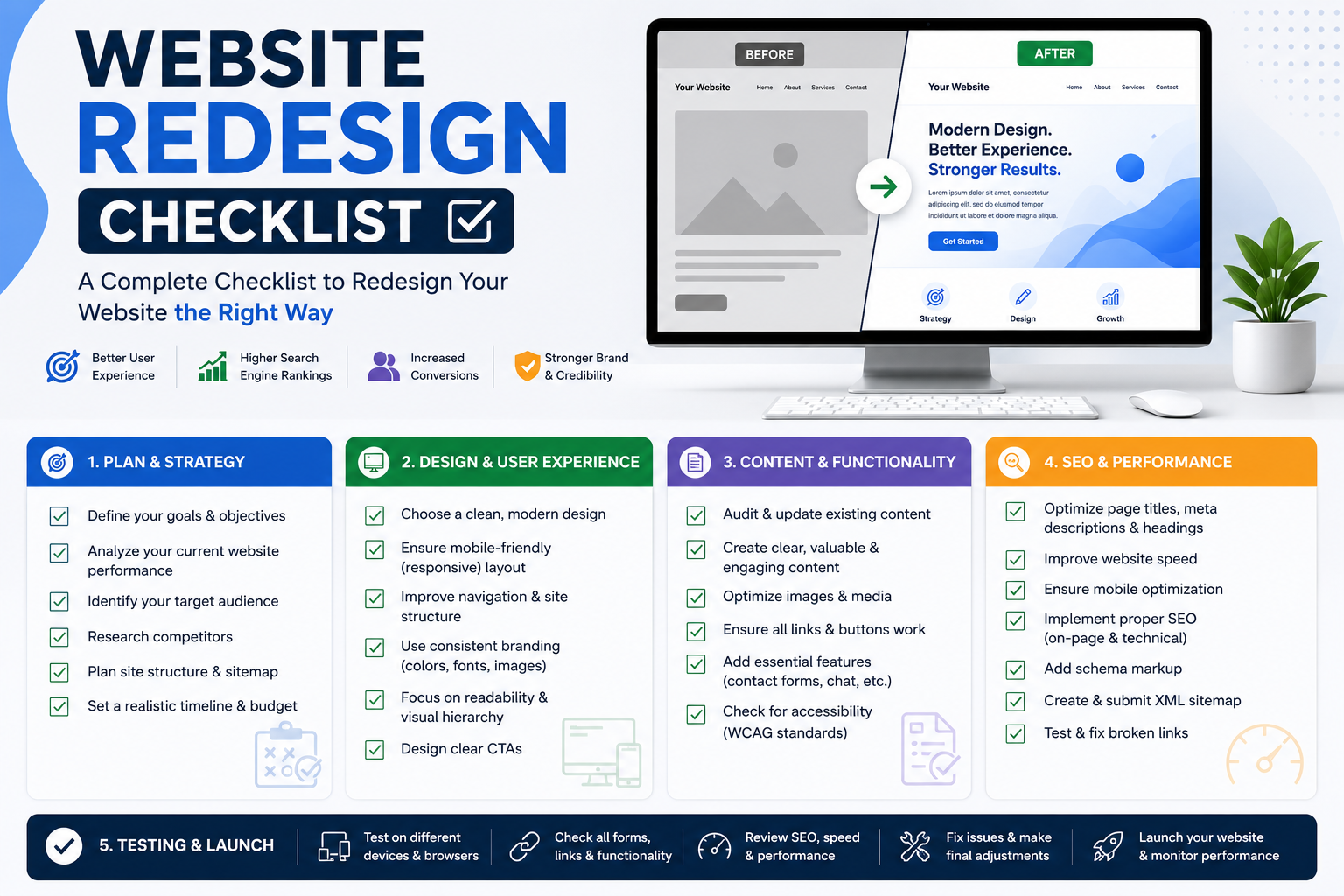
A website redesign should make your business look better and perform faster. Too often, the opposite traffic drops the week after launch and doesn’t come back for months. That’s rarely a design problem. It’s almost always a process problem: missed redirects, forgotten metadata, or a new site structure that Google has to re-learn from scratch.
This website redesign checklist walks through everything to handle before, during, and after launch so you can modernize your site without losing the rankings you’ve spent years building.
Signs You Need a Redesign
Not every site needs a rebuild, and not every redesign is worth the risk. Before you commit, it helps to know when a redesign is actually the right call versus when a lighter refresh would do.
Common signs it’s time:
- Your site hasn’t been touched in 5+ years. Design conventions, page speed expectations, and mobile usage patterns have all shifted since then.
- Core Web Vitals are consistently failing. Slow load times and layout shifts hurt both user experience and rankings.
- Your CMS is outdated or unsupported. If your developer is the only person who can safely make a change, that’s a liability.
- Mobile experience is poor. With mobile-first indexing, a clunky mobile site directly limits how well you can rank.
- Conversion rates are flat or declining despite steady or growing traffic often a sign the design, not the marketing, is the bottleneck.
- Your brand has evolved but your website still reflects an old positioning, old services, or an old visual identity.
If none of these apply, a redesign might be premature. But if two or three do, the “how to redesign a website without losing rankings” question becomes very relevant which is exactly what the rest of this checklist covers.
It’s worth separating two different situations here, because they carry different levels of risk. A visual refresh of new colors, updated imagery, a cleaner layout on the same template carries relatively low SEO risk, since URLs, content, and site structure typically stay intact. A full rebuild of a new CMS, new URL structure, and new information architecture carries much higher risk, because it touches nearly every factor search engines use to understand your site. Knowing which category your project falls into early on will shape how much time you need to budget for the checklist items below.
Pre-Launch Checklist
Most redesign SEO damage happens because pre-launch steps get skipped under deadline pressure. Treat this section as non-negotiable, not optional polish.
1. Content and SEO Audit
Before anyone touches design files, audit what you already have. You need a clear picture of what’s working so you don’t accidentally remove it.
- Export your full URL list from Google Search Console and your CMS/sitemap, not just the pages in your main navigation. Old blog posts, landing pages, and orphaned pages often carry meaningful rankings.
- Benchmark current rankings, traffic, and conversions for every important page. This is your “before” snapshot, and you’ll need it for post-launch comparison.
- Identify top-performing pages by organic traffic, backlinks, and conversions. These are your protected pages; anything that touches them during redesign needs extra scrutiny.
- Audit existing content quality page by page: what should be kept as-is, what should be rewritten, and what’s genuinely safe to retire.
- Document backlinks by page, especially any pages with strong external links pointing to them. 2. URL Mapping and 301 Redirects
This is the single most important technical step in any redesign, and the one most likely to be rushed.
- Create a full URL mapping spreadsheet: old URL → new URL, one row per page, for every URL identified in your audit.
- Match old URLs to the closest equivalent new page, not just the homepage. Redirecting everything to your homepage is a common shortcut that tells Google the old pages no longer exist in any meaningful form, and it usually tanks rankings.
- A 302 tells search engines the move isn’t permanent, so link equity and rankings aren’t passed through properly.
- Avoid redirect chains. If A redirects to B, and B redirects to C, update A to point directly to C. Chains slow crawling and dilute equity.
- Keep the redirect map saved and versioned somewhere outside the CMS. If something breaks post-launch, you’ll want this reference on hand.
[Image: Website redesign SEO checklist with 301 redirect mapping]
3. Content Migration
Redesigns are a natural moment to tidy up content, but moving content is different from rewriting it, and mixing the two up is where things go wrong.
- Migrate high-performing content with minimal changes to page titles, headings, and core copy. Don’t use the redesign as an excuse to rewrite a page that’s already ranking well.
- Preserve keyword-targeted title tags and meta descriptions, or improve them deliberately rather than letting a new CMS template overwrite them by default.
- Keep heading structure (H1, H2, H3) consistent with what search engines have already indexed, unless there’s a clear reason to restructure.
- Retain or improve internal linking, especially links pointing to and from your top-performing pages.
- Flag any pages being merged or removed entirely, and redirect them to the most relevant surviving page rather than deleting them outright.
4. Design and UX Considerations
Design changes affect SEO more than most owners expect, mainly through how content is structured and how easily both users and crawlers can navigate the site.
- Keep primary navigation logical and shallow. Important pages should be reachable within two or three clicks from the homepage.
- Maintain consistent URL structure where possible, or make deliberate, mapped changes rather than incidental ones from a new CMS default.
- Design for mobile first, since this is how the majority of visitors and Google’s crawler will experience the site.
- Avoid burying text content inside images or heavy JavaScript rendering that makes it harder for search engines to read your page content.
- Keep accessibility in mind — proper alt text, readable contrast, and semantic HTML help both users and crawlers.
5. Technical SEO Checklist
Technical details are easy to overlook because they’re invisible in a visual review of the new design, but they matter just as much as anything users can see.
- Rebuild and resubmit your XML sitemap to reflect the new URL structure.
- Update your robots.txt file to make sure it isn’t accidentally blocking important pages (a common mistake carried over from staging environments).
- Verify canonical tags point to the correct, final URLs.
- Check structured data (schema markup) carries over or is reimplemented for the new templates.
- Test page speed and Core Web Vitals on the new build, not just the old one a full redesign is often the reason performance regresses, not improves.
- Confirm HTTPS and SSL certificates are correctly configured on the new site.
- Set up staging site protection (password protection or noindex tags) so search engines don’t crawl and index your test environment before launch. For a deeper look at these technical fundamentals, see our technical SEO guide.
For teams without in-house technical resources, our website development services and SEO services can manage this process end-to-end, including the redirect mapping and technical QA outlined above.
It’s also worth assigning clear ownership for each of these items before development starts. In our experience, redirect mapping and technical SEO tasks are the ones most likely to fall through the cracks not because they’re difficult, but because they sit between the design team, the development team, and marketing, and nobody assumes responsibility until it’s too late to catch mistakes cheaply. Naming one person accountable for the redirect spreadsheet and one person accountable for technical QA removes most of the ambiguity that causes these steps to get skipped under deadline pressure.
Launch-Day Checklist
Launch day is when small oversights become live problems, so treat it as a controlled process rather than a single “go live” click.
- Launch during low-traffic hours to minimize disruption if something needs a quick fix.
- Remove staging noindex tags and password protection immediately this is one of the most common launch-day mistakes, and it can leave a brand-new site invisible to Google for weeks if missed.
- Test every redirect from your mapping spreadsheet on the live domain, not just staging. Staging and production environments sometimes behave differently.
- Crawl the entire live site with a crawler tool to catch broken links, 404s, and redirect errors before Google does.
- Submit the updated XML sitemap in Google Search Console and Bing Webmaster Tools.
- Verify analytics and tracking codes (Google Analytics, conversion pixels, tag manager) are firing correctly on the new site.
- Check forms, checkout flows, and other conversion points function properly end-to-end.
- Confirm the site is mobile-responsive across a few real device types, not just a browser resize.
Post-Launch Monitoring
The days and weeks after launch are when you’ll find out whether the pre-launch work paid off. Some ranking fluctuation is normal as Google re-crawls and re-indexes your site; a total collapse in visibility is not.
- Monitor Google Search Console daily for the first two weeks, watching for crawl errors, sudden indexing drops, or spikes in 404s.
- Track rankings for your benchmarked keywords against your pre-launch baseline. Expect some short-term fluctuation, but investigate anything that doesn’t recover within a few weeks.
- Watch organic traffic and conversion trends in analytics, comparing week-over-week against your historical baseline rather than day-over-day.
- Re-crawl the site periodically to catch any redirect or broken-link issues that surface after launch, particularly from pages you may have missed during the audit.
- Keep the redirect map active for at least 6–12 months. Backlinks from other sites and old bookmarks can keep sending traffic to old URLs long after launch.
One useful proof point: a retail platform relaunch we managed followed this same audit-and-redirect approach and saw a 40% uplift in conversions post-launch, without the ranking dip that so often accompanies a redesign evidence that a careful process protects performance rather than just the visual outcome.
FAQs
Will a redesign hurt my rankings? It can, but it doesn’t have to. Ranking drops after a redesign are almost always caused by missing or incorrect 301 redirects, removed or thinned content, or changes to page titles and headings that Google had already indexed favorably. Follow a proper URL mapping process and the disruption should be minor and temporary.
How often should sites be redesigned? Most businesses benefit from a full redesign every 3–5 years, though this depends more on performance and functionality than a fixed schedule. If your Core Web Vitals are healthy, your CMS is well-supported, and conversions are strong, there’s no SEO reason to rebuild just for the sake of a visual refresh.
What does a redesign cost? Costs vary widely based on site size, custom functionality, and content volume, ranging from a few thousand dollars for a small business site to well into five figures for larger, content-heavy sites with e-commerce or custom integrations. The redirect mapping and technical SEO work described above is a small fraction of total project cost but has an outsized impact on protecting the investment.
Planning a redesign and want to protect the rankings you’ve already earned? Request a free redesign audit and we’ll map out exactly what needs to carry over before you touch a single page.