
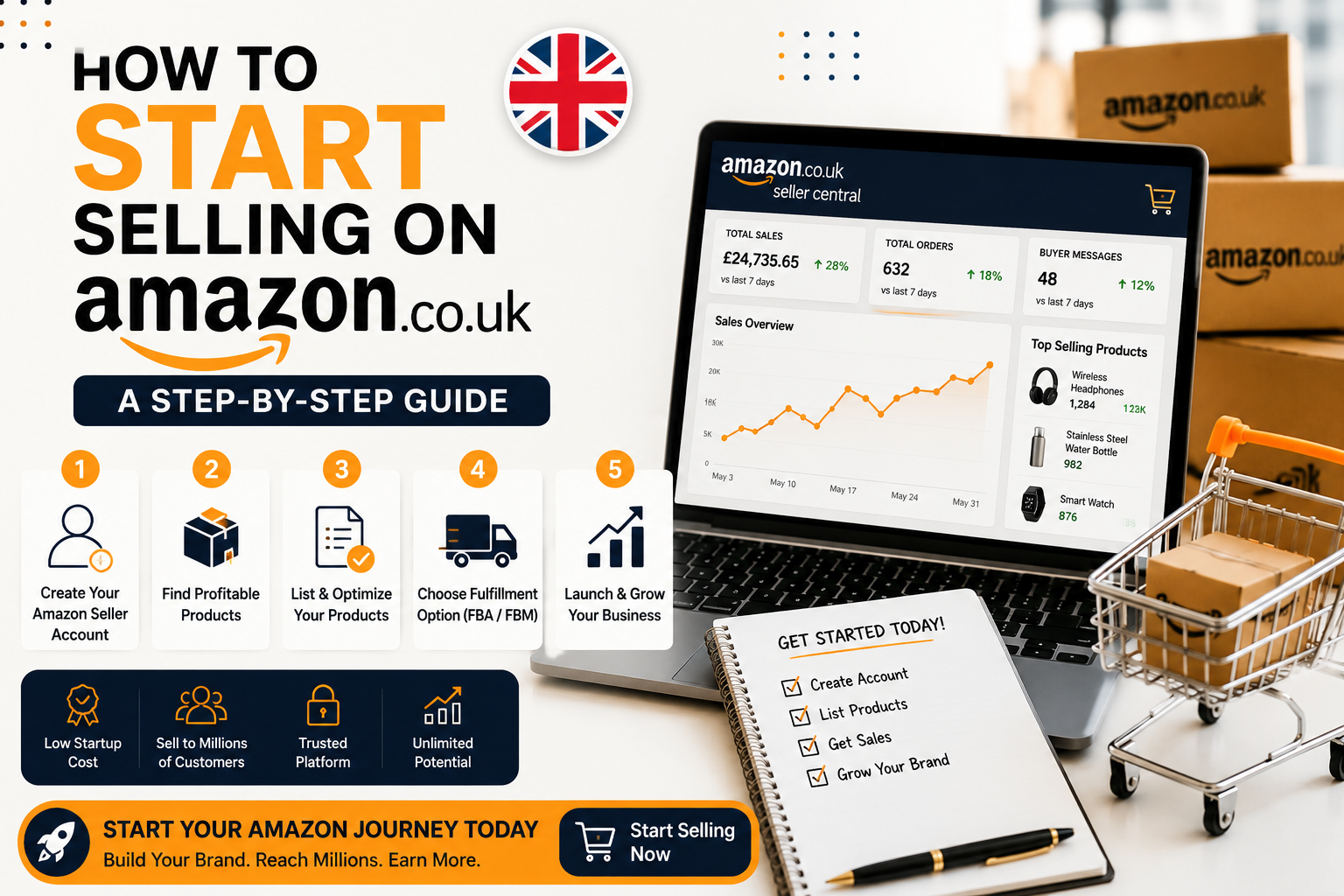
Amazon UK gives independent sellers access to tens of millions of shoppers without the cost of building a website, driving traffic, or handling customer service from scratch. That’s the appeal. The trade-off is a fee structure with several moving parts, a registration process that asks for real documentation, and a handful of early mistakes that quietly eat into margins.
This guide walks through the whole process from choosing a selling plan to shipping your first unit to FBA with the current UK fee schedule and VAT rules so you’re not caught out three months in.
This guide is aimed at people selling their own products or approved resale stock, not media collectors or one-off garage-sale listings, where the process is simpler.
Step 1: Decide What You’re Actually Selling
Before you touch the registration form, you need a product or at least a product category locked in. Amazon UK sorts every listing into a category, and that category determines your referral fee percentage, so product research and fee research happen at the same time whether you plan for it or not.
A few things worth checking before you commit stock or supplier money:
- Is the category gated? Categories like grocery, health and beauty devices, and some toy and safety-equipment subcategories require approval before you can list. Apply early approval can take days, and it’s frustrating to have stock sitting in a warehouse you can’t yet sell from.
- Does the product need a GTIN or barcode? Most new listings need a Global Trade Item Number (a GS1-issued barcode, usually EAN in the UK) to create a product page. If you’re branding your own product, you can apply for a GTIN exemption once you’re Brand Registered, but as a brand-new seller you should budget for buying GS1 barcodes rather than counting on the exemption from day one.
- Is there existing demand? Use Amazon’s own search bar autocomplete, the “Customers also bought” data on competing listings, and a tool like Helium 10 or Jungle Scout’s free estimators to sanity-check monthly sales volume before ordering stock. A product with zero existing search volume is a much harder first launch than one with proven, if competitive, demand.
- Can you compete on the listing, not just the price? New sellers often underestimate how much reviews, images, and Buy Box eligibility matter. If three established sellers already dominate a niche, entering with an identical product and hoping to win on price alone rarely works.
Step 2: Choose Your Selling Plan Individual or Professional
Amazon UK offers two selling plans, and picking the right one affects your unit economics from the very first sale.
The Individual plan costs £0.75 (excl. VAT) per item sold, with no monthly fee. The Professional plan costs £25 (excl. VAT) per month, no matter how many units you sell. Both plans still carry the same referral fees and, if you use FBA, the same fulfilment fees the £0.75-per-item or £25-per-month charge is on top.
As a rule of thumb: if you expect to sell more than roughly 34 items a month, the Professional plan works out cheaper on the per-unit fee alone. But volume isn’t the only reason to upgrade. The Professional plan is also required if you want to:
- Advertise with Sponsored Products
- Sell in restricted or gated categories
- Set your own shipping rates (rather than Amazon’s fixed rates)
- Use bulk listing tools, feeds, and API access
- Run promotions, including free shipping offers
Most sellers who are serious about building a brand rather than clearing out a garage go Professional from day one because the advertising and Buy Box advantages matter more than the monthly saving.
Step 3: Register Your Amazon Seller Account
Amazon’s registration flow is done entirely through Seller Central and typically takes 20–60 minutes to submit, though verification can take a few days longer if Amazon requests additional documents.
You’ll need:
- A valid email address and mobile number for account verification.
- A chargeable credit card Amazon charges this for fees, and deposits sale proceeds into your linked bank account.
- Bank account details in the name matching your registration (business or personal, depending on your setup).
- Government-issued ID passport or driving licence for identity verification.
- Proof of address a recent utility bill or bank statement, usually within the last 90 days.
- Business details, if registering as a company: company registration number and registered address, as they appear with Companies House.
- Tax information a UTR (Unique Taxpayer Reference) if you’re a sole trader, or your company’s tax details, plus your VAT number once you’re registered (see Step 6).
You do not need a limited company to start selling on Amazon UK sole traders can register and trade under their own name. A limited company becomes worth considering once you’re generating consistent profit, want personal liability protection, or plan to bring in investors or a business partner. If you’re weighing that decision, it’s worth speaking to an accountant before you register, since switching your seller account’s legal entity later involves more paperwork than getting it right at the start.
Step 4: List Your First Product
Once your account is approved, you’ll either match an existing listing if an identical product (same brand, same GTIN) is already sold on Amazon or create a new listing if yours is unique.
For a new listing you’ll need:
- Product title, bullet points, and description
- A GTIN/barcode (unless exempt)
- Product images at least one on a pure white background, ideally 5–7 total covering angles, use-cases, and dimensions
- Category and item specifics (size, colour, material, etc.)
- Your price and available stock quantity
Take listing images seriously even at this early stage. On a platform where every seller’s listing follows the same template, image quality and the clarity of your bullet points are two of the few differentiators you fully control.
Step 5: Choose How You’ll Fulfil Orders FBA or FBM
You have two fulfilment routes:
Fulfilment by Amazon (FBA): You ship inventory to an Amazon fulfilment centre, and Amazon handles picking, packing, delivery, returns, and customer service. Your listing also gets the Prime badge, which measurably increases conversion for many categories. In exchange, you pay a per-unit fulfilment fee (based on size and weight) plus monthly storage fees.
Fulfilled by Merchant (FBM): You store and ship the product yourself. You avoid FBA’s storage and fulfillment fees, but you take on packing, shipping speed, and customer service and you lose the Prime badge unless you separately qualify for Seller Fulfilled Prime, which has strict same-day dispatch and on-time delivery requirements.
Most beginners start with FBA for a small batch of stock, both to learn the fee structure firsthand and because Prime eligibility tends to matter more for a new, review-less listing than the fee saving from doing it yourself. As you scale, some sellers move slower-selling or bulky, low-margin items to FBM to control costs, while keeping fast-moving items on FBA for the Prime visibility.
Step 6: Understand Your VAT Obligations Early
VAT catches out more new Amazon UK sellers than any other compliance issue, so it’s worth getting straight before you make your first sale rather than after.
- UK-resident sellers: You must register for VAT once your taxable turnover exceeds £90,000 in any rolling 12-month period this is the current UK VAT registration threshold, unchanged since April 2024. You can also register voluntarily below that threshold, which is worth considering if most of your customers are VAT-registered businesses who can reclaim the VAT you charge them.
- Overseas sellers storing stock in the UK: The £90,000 threshold does not apply to you. If you’re a non-UK business holding inventory in a UK Amazon fulfilment centre, you’re generally required to register for UK VAT from your very first sale.
- Amazon may ask for your VAT number regardless of turnover if you’re selling from outside the UK, as part of its own compliance checks this is separate from, and can arrive earlier than, your legal obligation to register.
Because the rules differ for overseas sellers and the penalties for late registration include backdated VAT bills and interest, it’s worth a short conversation with an accountant experienced in ecommerce VAT before you scale up stock levels, rather than after HMRC flags the account.
Step 7: Set Your Launch Price and Go Live
With your listing built and stock either in an FBA warehouse or ready to ship yourself, the final step is pricing. Price to cover your product cost, Amazon’s referral fee, any fulfilment fee, and your desired margin not just to undercut competitors. Amazon’s own Revenue Calculator (available inside Seller Central) will estimate your total fees for a specific product and fulfillment method before you commit, and it’s worth running every new SKU through it rather than estimating by hand.
Amazon UK Seller Fees: What You’ll Actually Pay (2026)
Amazon publishes its full fee schedule on Seller Central, and it changed materially in late 2025 and early 2026, with reductions across several categories. Figures below reflect Amazon’s official UK fee schedule as of July 2026 always check Seller Central directly before pricing a new product, since Amazon updates rates periodically.
Selling plan fees
| Plan | Cost | Best for |
| Individual | £0.75 (excl. VAT) per item sold | Fewer than ~35 items/month, still deciding what to sell |
| Professional | £25 (excl. VAT) per month, unlimited items | Regular sellers, anyone wanting to advertise or sell in gated categories |
Referral fees by category (selected examples)
Referral fees are charged as a percentage of the total sale price (item price plus delivery and gift-wrap charges, excluding VAT), with a minimum fee of £0.25 per item in most categories.
| Category | Referral fee |
| Consumer Electronics | 7% |
| Computers | 7% |
| Clothing and Accessories | 5% up to £15 · 10% between £15–£20 · 15% above £20 |
| Home Products | 8% up to £20 · 15% above £20 |
| Toys and Games | 15% |
| Books, Music, Video, DVD | 15% (no per-item minimum) |
| Grocery and Gourmet | 5% up to £10 · 15% above £10 |
| Jewellery | 20% up to £225 · 5% above £225 |
| Amazon Device Accessories | 45% |
| Everything else (default) | 15% |
Amazon’s full category list runs to more than 30 entries, several with tiered pricing that changes at a specific price threshold check the complete schedule on Seller Central for your exact category before finalising a price.
FBA fulfilment and storage fees
FBA fulfillment fees are a flat fee per unit based on product size, weight, and category, charged in addition to the referral fee. Amazon reduced parcel fulfilment fees in the UK by an average of £0.26 per unit from December 2025, and extended its lower Low-Price FBA rates to eligible products priced at £20 or below from January 2026.
Monthly storage fees are charged per cubic foot and rise sharply for the October–December peak period:
| Storage type | Jan–Sep | Oct–Dec |
| Standard-size (most categories) | £0.76 / cu ft | £1.51 / cu ft |
| Standard-size (clothing, footwear, eyewear, bags) | £0.62 / cu ft | £0.82 / cu ft |
| Oversize | £0.55 / cu ft | £0.87 / cu ft |
From 17 April 2026, Amazon also applied a 1.5% fuel and logistics surcharge on top of FBA fulfilment fees across UK and several EU stores.
Other costs to budget for
- Refund administration fee if you refund a customer, Amazon keeps a small portion of the referral fee it already refunded you, capped at the lesser of £5 or 20% of that referral fee.
- Long-term storage and aged inventory surcharges apply to stock sitting in an FBA warehouse for extended periods (241+ days), so don’t over-order for a first launch.
- Removal or disposal fees charged per unit if you ask Amazon to send unsold stock back to you or dispose of it.
- GS1 barcodes a one-off or annual licensing cost if you don’t already own GTINs for your products.
- VAT most of the above fees are quoted excluding VAT, which is charged on top at the standard UK rate.
Run any specific product through Amazon’s Revenue Calculator inside Seller Central for an exact, current figure category thresholds and fuel surcharges make hand-calculating error-prone.
Common Beginner Mistakes to Avoid
Underestimating total fees when pricing. New sellers often price against the referral fee alone and forget FBA fulfillment fees, storage costs, and the fuel surcharge, only to discover their real margin is far thinner than planned.
Over-ordering stock for a first launch. Long-term storage fees and aged inventory surcharges can turn slow-moving stock into a liability. Start with a conservative first order and reorder based on actual sell-through, not projected sell-through.
Skipping category approval requirements. Ordering stock in a gated category before confirming approval can leave inventory sitting unsellable for weeks.
Ignoring VAT until it’s a problem. Whether you’re a UK sole trader approaching £90,000 in turnover or an overseas seller storing stock in the UK from day one, VAT registration has a real deadline attached, and HMRC penalties for missing it include backdated tax and interest.
Treating Pan-EU FBA as a simple toggle. Expanding into Pan-European FBA (storing stock across multiple EU fulfillment centres to sell across Europe) triggers VAT registration obligations in every country your stock is held in; this is a significant compliance step, not a one-click setting, and it’s worth planning for before enrolling.
Neglecting listing quality because “the product sells itself.” In a marketplace where every competitor uses the same page template, weak images and thin bullet points are often the actual reason a listing underperforms, not the price.
Not using the Revenue Calculator before setting a price. It’s free, built into Seller Central, and accounts for category, size tier, and current fee promotions; there’s little reason to price by guesswork when it’s available.
Frequently Asked Questions
Do I need a limited company to sell on Amazon UK? No. You can register and trade as a sole trader using your own name and Unique Taxpayer Reference. A limited company is worth considering once your profits, liability exposure, or plans to bring in investors make the extra admin worthwhile but it isn’t a requirement to get started.
What are Amazon UK’s seller fees? You’ll pay a selling plan fee (£0.75 per item on the Individual plan, or £25/month on Professional), a referral fee per sale that varies by category (typically 7–15%, with some categories higher or lower), and if you use FBA a per-unit fulfilment fee plus monthly storage fees. Amazon’s current fee schedule and Revenue Calculator, both in Seller Central, give exact figures for any specific product.
How much stock should I start with? There’s no universal number, but most new sellers are better served by a smaller first order enough to test demand and gather initial reviews without risking long-term storage fees on unsold stock. A common starting point is enough inventory for 30–60 days of expected sales based on your product research, reordering as real sell-through data comes in rather than committing to several months of stock upfront.
Setting up an Amazon UK account correctly the first time registration, VAT, category approvals, and your first FBA shipment takes longer than most beginners expect. If you’d rather have it handled end-to-end, our done-for-you Amazon account setup service covers registration through to your first live listing.