
Templates promise everything. Web designers throw around jargon like “Core Web Vitals” and “schema markup.” Meanwhile, you just want a site that brings in customers without embarrassing you.
The good news: you don’t need everything. You need the right things, done properly.grouped into trust, performance, conversion, and lega that separate sites that quietly generate leads from sites that quietly get ignored.
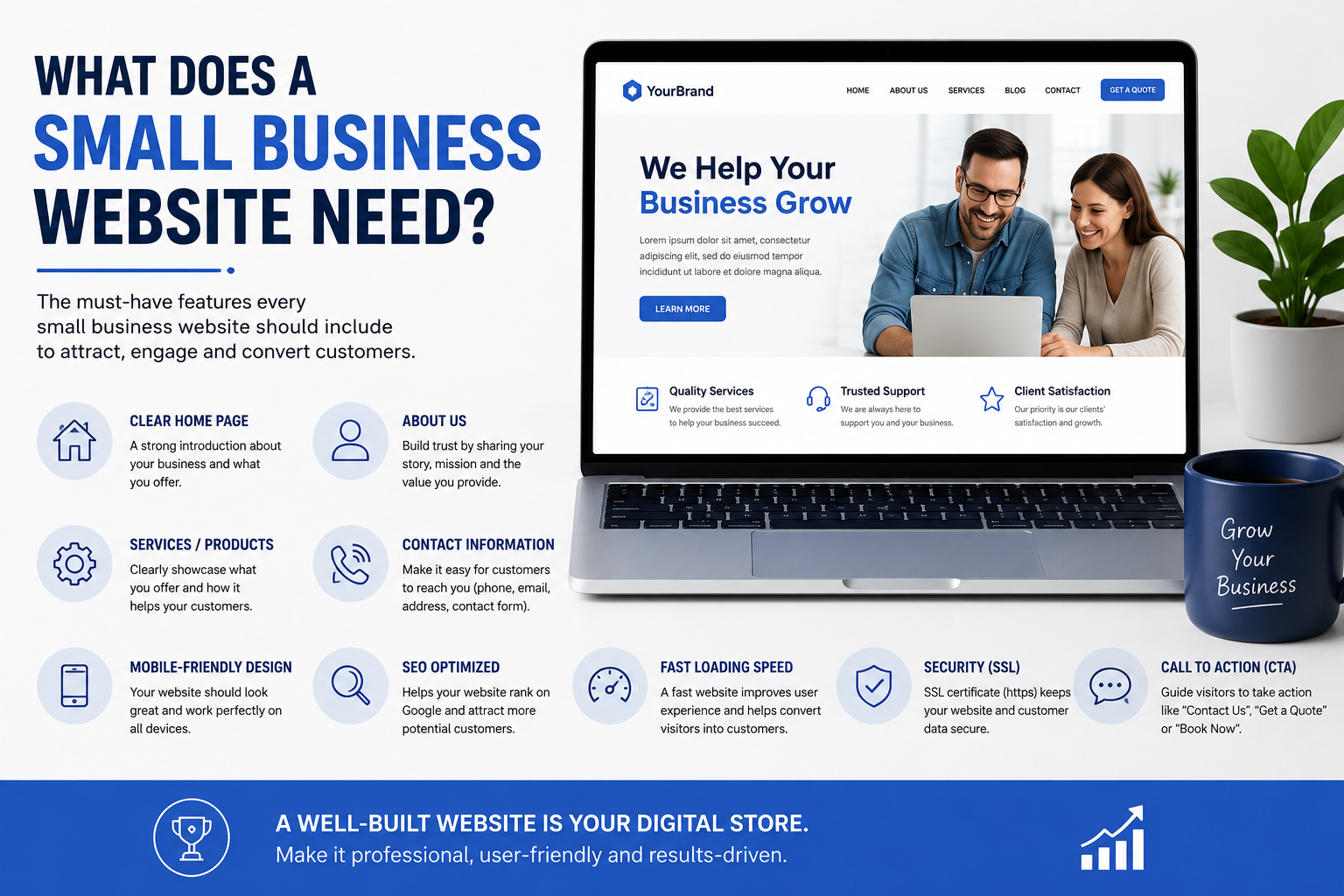
Use this as your working checklist. We’ve also put it into a free downloadable PDF at the bottom of the page, so you can tick things off as you go.
Related reading: for the bigger picture on planning a business website from scratch, see our complete guide to building a small business website.
Trust Signals: Convincing Visitors You’re Legitimate
Before anyone buys from you, they decide usually in under 10 seconds whether they trust you. These four elements do most of that work.
1. An SSL Certificate (HTTPS)
If your website address doesn’t start with https:// and show a padlock in the browser bar, fix this today. enough to send visitors straight to a competitor.
Most hosting providers now include a free SSL certificate (via Let’s Encrypt) as standard. If yours doesn’t, it’s worth switching hosts.
2. A Connected Google Business Profile
For local small businesses, your Google Business Profile (formerly Google My Business) is arguably more visible than your homepage it’s what shows up in Google Maps, the local pack, and voice search results. Your website should link to it, and your profile should link back, with matching name, address, and phone number (NAP) across both.
This consistency is one of the simplest local SEO wins available, and it costs nothing.
3. Real Customer Testimonials and Reviews
Generic claims like “we’re the best in the business” convince nobody. Specific, named testimonials ideally with a photo, a company name, or a star rating pulled directly from Google do the heavy lifting instead. If you can embed live Google or Trustpilot reviews rather than static quotes, even better; it signals the reviews are genuine and current.
4. A Genuine About Us / Team Page
People buy from people. A vague “About” page with stock photography and no names does more harm than good. Show real faces, real names, and a short, honest story of why the business exists. For service businesses especially, this page is often the second most-visited page on the site after the homepage.
Performance: The Technical Foundations
None of the above matters if your site is slow, broken on mobile, or inaccessible to a chunk of your visitors. This is the unglamorous plumbing but it’s where most small business sites quietly lose customers.
5. Mobile-First Design
More than half of UK web traffic now comes from phones, and Google indexes the mobile version of your site first when deciding how to rank you.anymore it’s the baseline. That, readable text without pinching to zoom, and navigation that works with a thumb, not a mouse.
6. Fast Page Load Speed
Page speed also directly affects Google rankings via Core Web Vitals. Common culprits on small business sites: unoptimised images, bloated page builders, and too many third-party scripts (chat widgets, tracking pixels, font libraries) all fighting to load at once.
A real example: on a recent client project, we took a WordPress site from a Google PageSpeed score of 38 (mobile) to 91, mainly by compressing images, removing unused plugins, and switching to a lighter theme. That single change cut bounce rate noticeably within the first month. (Swap in your own before/after PageSpeed Insights or GTmetrix screenshots here this is one of the most persuasive pieces of evidence you can show a prospective client.)
7. Basic Accessibility
Accessibility isn’t just about compliance an estimated 1 in 5 people in the UK has some form of disability, and an inaccessible site simply excludes them. The basics aren’t difficult: sufficient colour contrast, alt text on images, proper heading structure, keyboard-navigable menus, and forms with clear labels. Aiming for WCAG 2.2 AA as a baseline covers most of what matters.
8. Reliable, Secure Hosting with Backups
Cheap hosting that goes down during a product launch, or has no backup system when a plugin update breaks the site, costs far more in lost business than it saves in monthly fees. Look for hosting with daily backups, a reasonable uptime guarantee, and ideally a support team you can actually reach.
Conversion: Turning Visitors into Enquiries
A fast, trustworthy site still fails if it doesn’t make it obvious what to do next. These five elements exist purely to turn browsers into leads.
9. A Clear, Easy-to-Find Contact Form
Buried contact details are one of the most common and most fixable mistakes on small business sites. Your contact form (and phone number, and email) should be reachable within one or two clicks from anywhere on the site, not hidden three menus deep. Keep the form itself short: name, email, message. Every extra field reduces completions.
10. Strong, Specific Calls-to-Action
“Learn more” tells a visitor nothing. Every page on the site should have one clear, obvious next step not three competing options that cancel each other out.
11. Clear Service or Product Pages
Vague, jargon-heavy descriptions lose customers who don’t know your industry’s shorthand. Each service or product should have its own page answering three questions plainly: what is this, who is it for, and what does it cost (or how do I find out)? If pricing is genuinely variable, at least give a starting point or range.
12. Local SEO Optimisation
Beyond the Google Business Profile mentioned earlier, your website itself needs local signals: your town or region mentioned naturally in page titles and content, a dedicated page per location if you serve more than one area, and local business schema markup so search engines understand where you operate. This is a deep topic on its own we cover it in full in our complete guide to local SEO for small businesses.
13. Analytics and Goal Tracking
You can’t improve what you don’t measure. At minimum, install Google Analytics 4 and set up goal tracking for form submissions, phone clicks, and any other action that counts as a lead. Without this, you’re making decisions about your website based on guesswork rather than actual visitor behaviour.
Legal: The Must-Haves for UK Websites
These aren’t optional extras they’re legal requirements for almost any UK business website, regardless of size.
14. A Privacy Policy (UK GDPR Compliant)
If your site collects any personal data even just through a contact form you’re required under UK GDPR to have a clear Privacy Policy explaining what data you collect, why, how it’s stored, and how people can request it be deleted. Templates exist, but it’s worth having one tailored to what your site actually does.
15. A Cookie Consent Banner and Terms & Conditions
If your site uses cookies for analytics, advertising, or any tracking beyond the strictly necessary, UK law (via PECR, alongside GDPR) requires a consent banner that lets visitors accept or reject non-essential cookies before they’re set not just a “by using this site you agree” notice. Alongside this, Terms & Conditions covering your services, liability, and (where relevant) refund policy protect both you and your customers.
The Full Checklist at a Glance
Trust: SSL certificate · Google Business Profile · testimonials & reviews · genuine About page Performance: mobile-first design · fast page speed · accessibility · reliable hosting with backups Conversion: easy-to-find contact form · specific CTAs · clear service pages · local SEO · analytics Legal: GDPR-compliant privacy policy · cookie consent banner · terms & conditions
Want this as a printable PDF you can work through with your web designer (or on your own)? [Download the free 15-Point Website Checklist →]
If your current site is missing more than a couple of these, it’s worth a proper look before it costs you more leads. Get a free quote for your website project →
FAQs
Do I need a blog? Not strictly a blog isn’t on this list of essentials. But it’s one of the most cost-effective ways to build organic search visibility over time, especially for service businesses answering the questions customers are already typing into Google. If you’re not ready to commit to regular blogging, it’s fine to launch without one and add it later.
Is Wix enough for a small business? For very simple sites, Wix (or similar builders like Squarespace) can cover the basics SSL, mobile responsiveness, and a contact form are all built in. Where they tend to fall short is page speed at scale, deeper SEO control, and flexibility as the business grows. Many businesses start on a builder and migrate to WordPress or a custom build once they outgrow it.
What legal pages are required in the UK? At minimum: a Privacy Policy (required if you collect any personal data), a Cookie Policy with a consent banner (if you use non-essential cookies), and Terms & Conditions covering your services. If you sell products online, you’ll also need clear information on returns, refunds, and delivery under UK consumer law.